Smart WiFi TRIAC Dimmer S1-B(WT) with Tuya & SmartLife
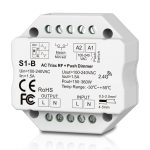
38.00€
In Stock!
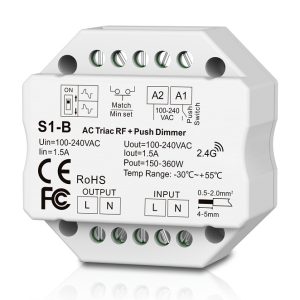
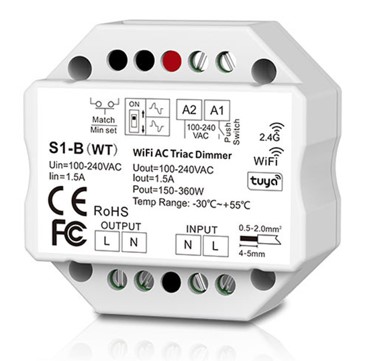
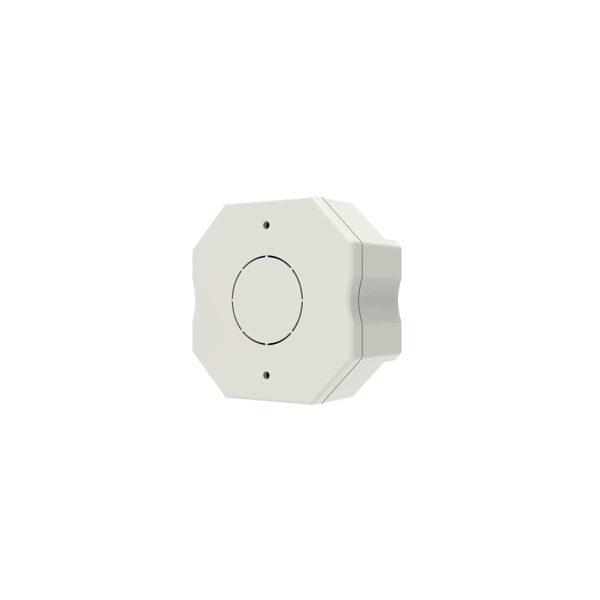
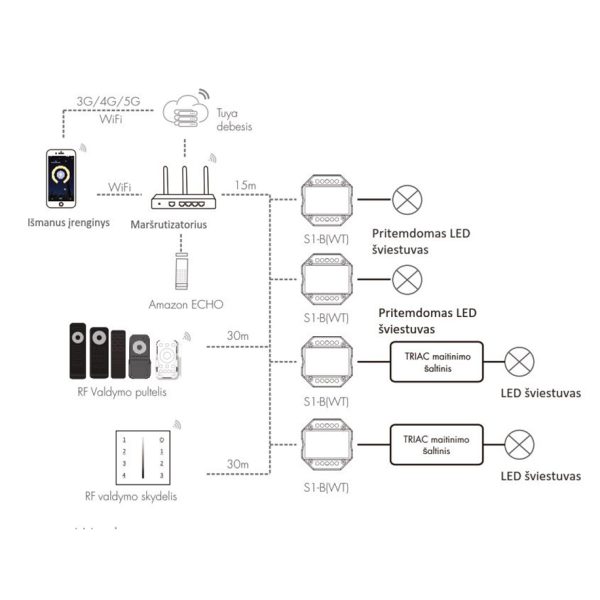
A smart lighting dimmer controller that fits easily into a standard wall mounting box behind your switch. It is designed to control TRIAC dimmable LED lights. In addition to traditional control via a PUSH-DIM (retractive bell-type switch) or a 2.4GHz remote, this smart version features built-in WiFi. You can seamlessly manage your lighting from anywhere using the Tuya or SmartLife smartphone apps. It also supports voice control via Amazon Alexa and Google Assistant, allowing you to set schedules, create custom lighting scenes, and fully automate your home’s lighting.
Choose suitable remote controls and wall controllers for these devices from our partner’s page: Remotes – Controllers.
- Description
- Additional information
Description
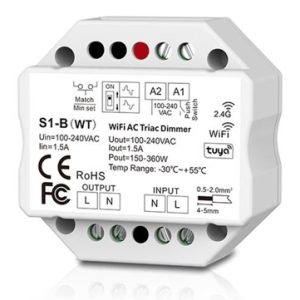
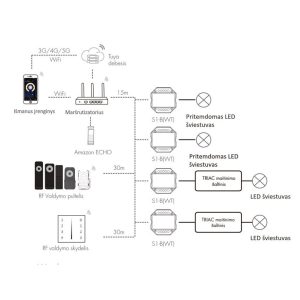
The smart single-channel 100V-240V WiFi controller is designed for switching electrical devices on/off or dimming them (voltage control). The controller features a “Push-Dim” function, meaning you can connect a standard retractive (bell-type) switch to it. In addition to physical switches, you can control this device via WiFi using the Tuya or SmartLife smartphone apps, through voice commands (such as Amazon Alexa or Google Assistant), or by using SKYDANCE remote controls operating on a 2.4GHz frequency.
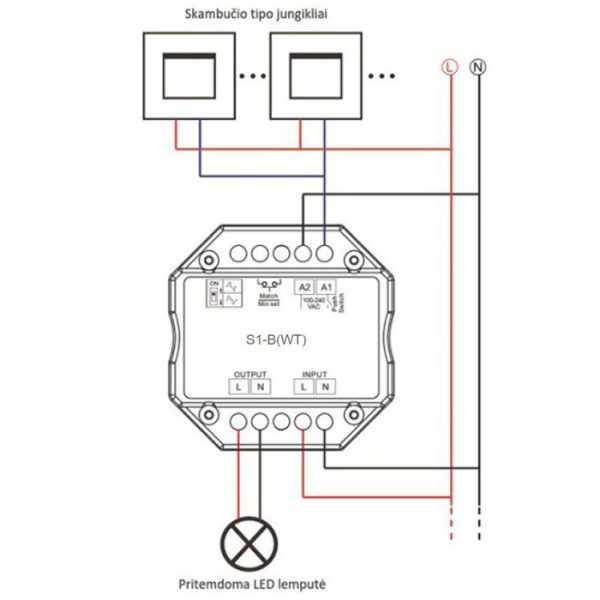
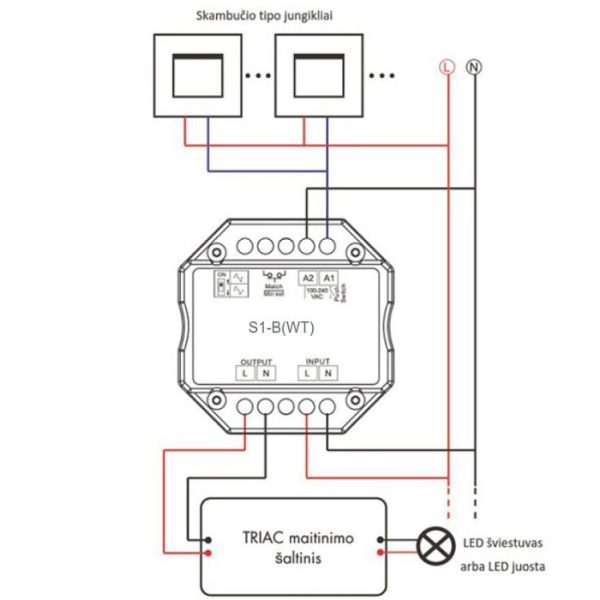
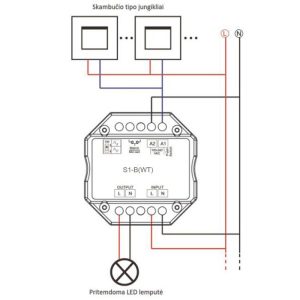
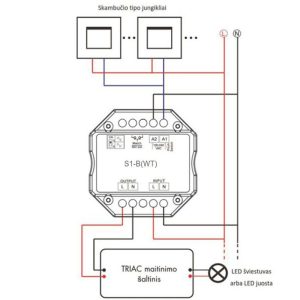
Pairing the controller with the App and a remote: Connect the controller to the circuit as indicated in the wiring diagram. Once properly connected, the controller’s indicator light will glow blue. To connect to the WiFi network: Press and hold the MATCH button on the controller for a few seconds until the indicator light starts flashing rapidly. Open your Tuya or SmartLife app, choose to add a new device, and follow the on-screen instructions to connect it to your WiFi network. To pair with a 2.4GHz remote: Briefly press the MATCH button on the controller. The light will start flashing, indicating that RF pairing mode is active. Press any button on your chosen remote control (if it is a multi-zone remote, press the desired zone button). The controller’s indicator light will flash to confirm a successful pairing between the controller and the remote. Verify the connection by turning the controller on and off. To delete all remote pairings or reset the WiFi network, press and hold the MATCH button for 5 to 10 seconds. The controller’s light will flash to confirm a successful reset.
A minimum dimming level can be set. The controller features a dimming memory function, meaning that when turned back on, the device restores the light intensity level set prior to being turned off. With the smart app, you can also set timers, schedules, and custom automation scenes. It fits easily into a standard wall mounting box.
Additional information
| Weight | 0.070 kg |
|---|---|
| Power (W) | 220V – 220W |
| Voltage (V) | AC 100-265V 50/60Hz |
| Current (A) | LED lights 200W – 220V, TRIAC power supplies 200W – 220V, Halogens 400W – 220V) |
| Controlled zones | 1 zone |
| Protection class | IP20 |
| Working distance | Up to 30 meters |
| Operating frequency | 2.4 GHz |
| Dimmable levels | 256 levels (0-100%) |
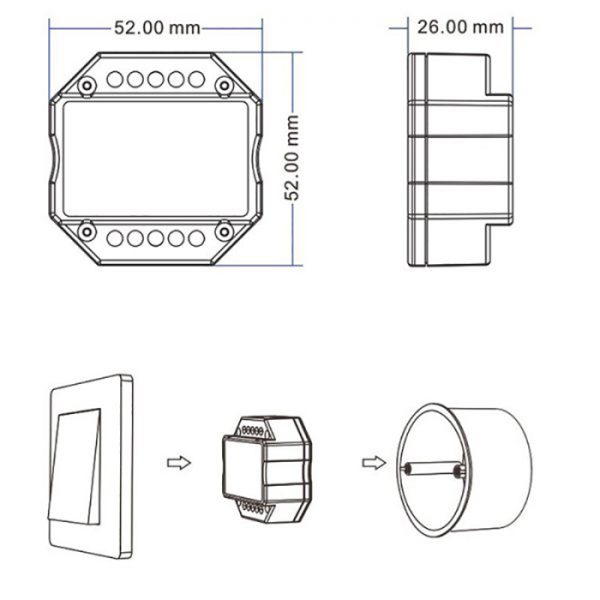
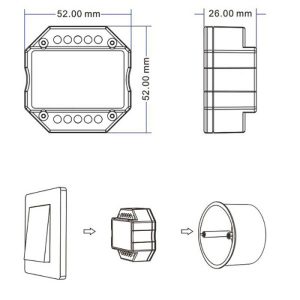
| Dimensions | 52 x 52 x 26 mm |
| Operating temp. | -30 °C ~ +55 °C |
| Certification | CE, ROHS |
| Warranty | 5 years |